Heavy Haul Dispatch & Oversized Load Permit Services
Big loads.
Serious logistics.
Let’s move.
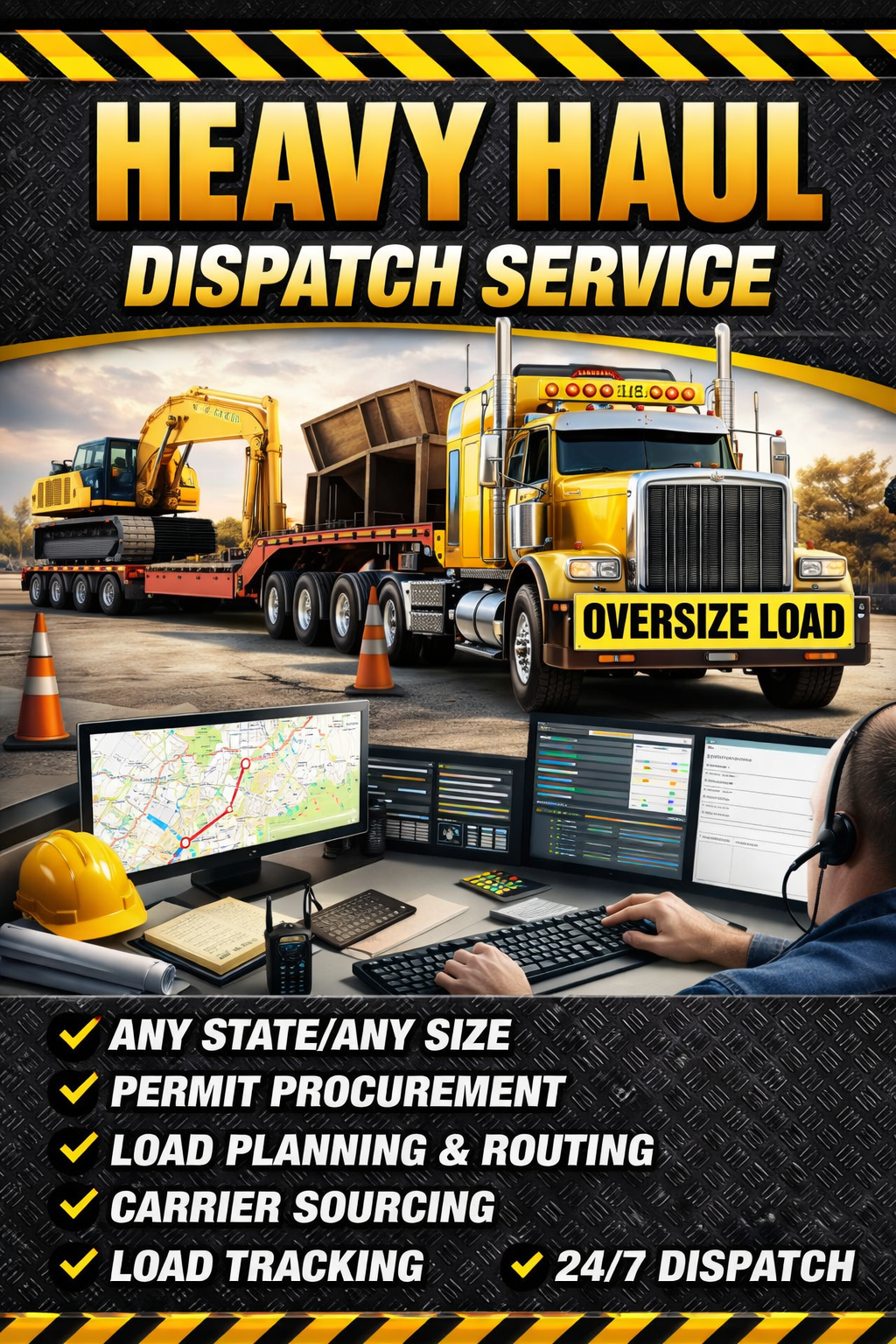
Heavy haul dispatch, oversize and overweight permit coordination, and the technology to keep your operation moving. One truck or a whole fleet—bring us the load. We’ll help you plan the work.
Heavy haul is your business.
Keeping it organized is ours.
Get practical support for the details that take you away from the truck: freight, brokers, permit applications, routing requirements, and load paperwork.
Keep your truck working.
Dispatch support for carriers and owner-operators hauling specialized freight. We help coordinate the load from booking through delivery so you can focus on the move.
- Freight search and load booking support
- Broker communication and pickup/delivery coordination
- Rate confirmation and load-detail organization
- Permit and escort coordination for the planned move
- BOL, POD, and delivery paperwork support
Get the move planned.
Permit application assistance for oversized and overweight shipments, including multi-state moves and complex equipment combinations.
- Load dimensions, gross weight, axle, and equipment review
- Single-state and multi-state application coordination
- Superload application support
- Issued route, restrictions, and travel-window coordination
- Escort requirements and trip document organization
Agency approval, lead times, fees, and additional studies depend on the load and jurisdiction.
Request permit assistance →More than finding freight.
One move. Every state.
A state line changes the requirements. We organize permit applications and issued documents across the planned trip, keeping route instructions, travel windows, and escort requirements with the load.
Discuss your multi-state move →Big dimensions. More planning.
Complex weight and size combinations need more lead time and more detail. We help organize equipment specifications, axle information, application requirements, and agency follow-up for your superload request.
Start superload planning →Get the right support lined up.
Coordinate pilot car needs around the issued permit, planned route, and move schedule. Keep escort contacts, meeting details, and load information together so the team knows the plan before departure.
Discuss escort requirements →Close the loop on every load.
Keep brokers, pickup locations, delivery contacts, and drivers working from the same load details. Organize rate confirmations, permits, bills of lading, and proof of delivery for the office and billing process.
Get dispatch support →From the permitted route
to the paid invoice.
Your next move involves more than a truck and a destination. It involves a legal route, a driver, a load, an escort team, and paperwork that has to reach the right people. Route-Guardian brings those working parts into connected software built for heavy haul.
Explore all four below. Fleet, Dispatcher, and Pilot Car screens use published demonstration data. The permit map is an illustrative fictional sample.
Permit Route Navigation.
Your legal route, in view.
A heavy haul permit is a set of instructions for a specific move. Route-Guardian gives you a place to upload that document, examine the authorized roads on a map, keep the route with your trip, and access navigation from the saved route.
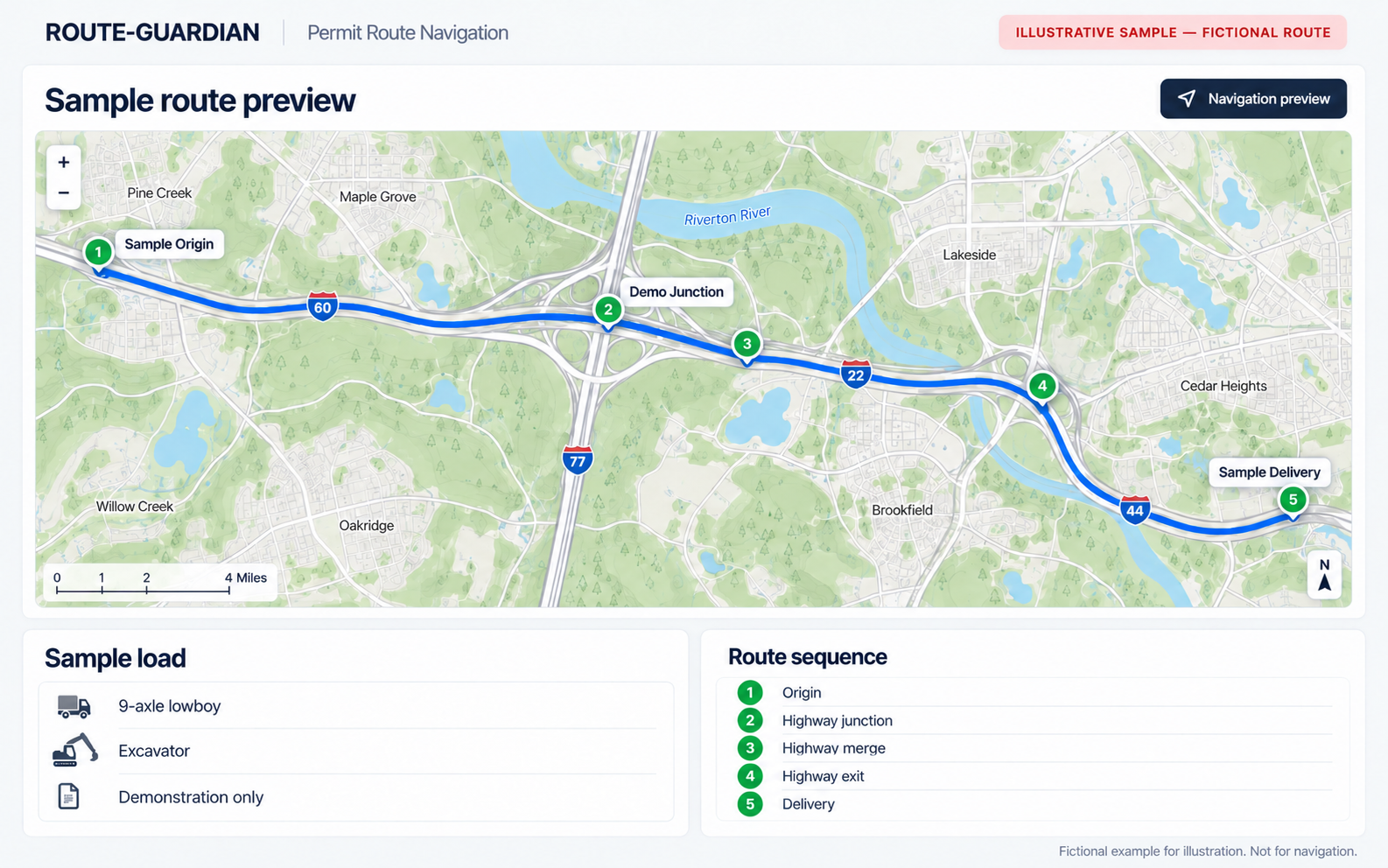
Upload the issued permit
Bring in a PDF, photograph, or scan. Keep the permit document in your account so the trip information has a clear source and you can return to the actual instructions.
Read the route beside the map
Extracted legal route rows and mapped route points help you compare the named roads, junctions, and transitions with the permit rather than relying on a general passenger-car route.
Use the saved route
Review the route before travel, then use the saved route as the navigation source. Owner-reviewed route authority is protected from silent automatic replacement.
Share route visibility
Give pilot cars and other involved parties read-only route visibility, so the people helping with the move can refer to the same route information.
Keep trip records together
Organize permits, trips, receipts, and supporting documents in one account. Reduce the hunt through messages and separate folders when the office needs a record.
Work from web and mobile
Use the web workspace for planning and the mobile experience in the field. Access permit and trip information through your Route-Guardian account.
Upload issued permit → Review extracted route and map → Save reviewed route → Use navigation and retain trip records.
$9.99/month or $79.99/year for your first year.
Then $39.99/month or $349.99/year.
Route-Guardian works with issued permits; Heavy Haul Dispatch offers permit coordination separately. The issued permit remains the legal authority. Review the route and all travel restrictions before driving.
Your trucks. Your drivers.
One command center.
When you own the carrier operation, every load connects to equipment, people, costs, documents, and billing. Fleet TMS puts that information in a company workspace so your office can manage the operation without signing in as each driver.
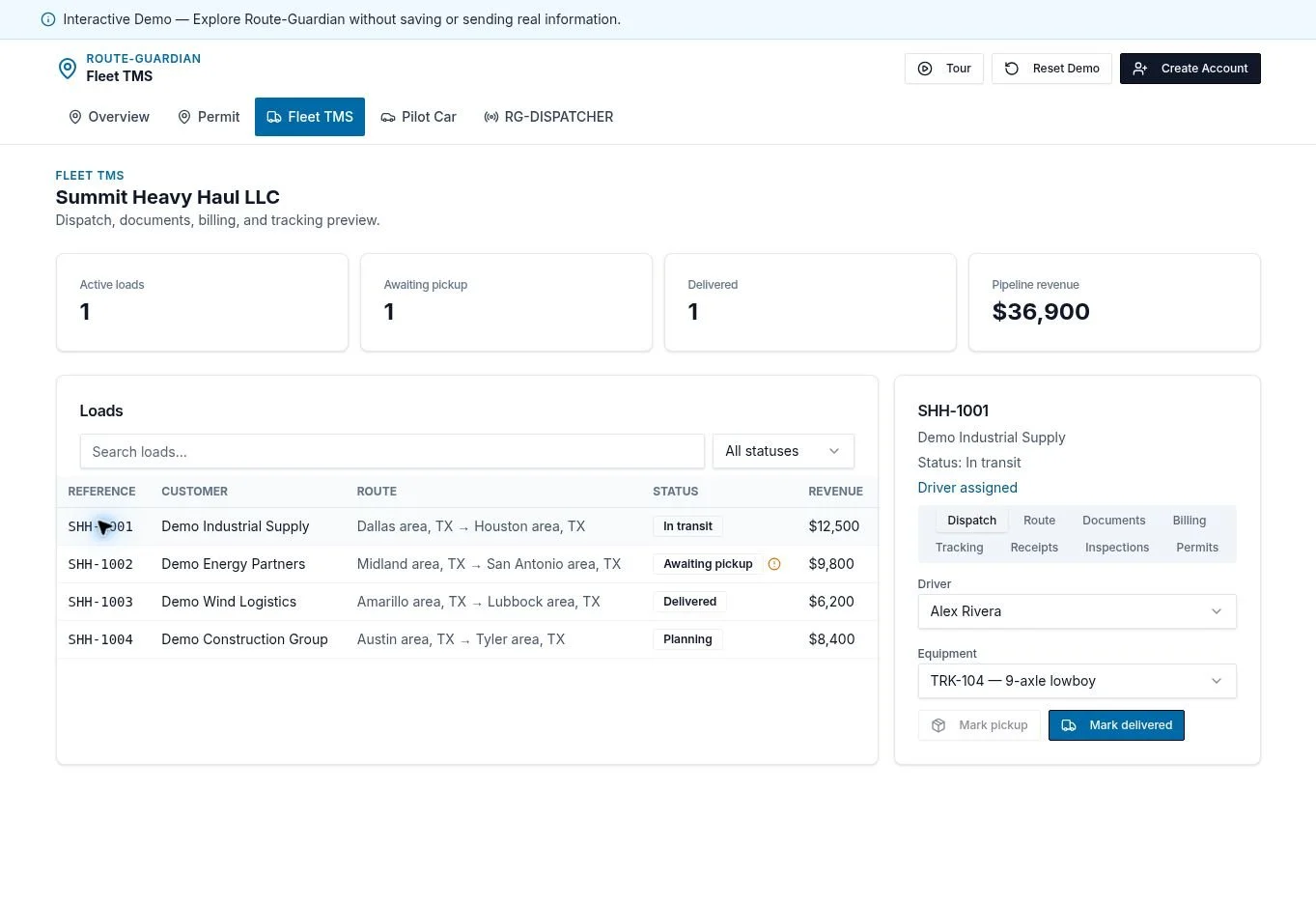
Loads, drivers & equipment
Manage freight work alongside your drivers, trucks, and trailers. Keep the assignment and the supporting load information in the same workspace your dispatch team uses.
Permits under company control
Keep driver permit libraries, expiration information, and route records visible to authorized fleet staff. Review routes and push saved updates from the office.
Live fleet visibility
View driver and vehicle positions with location sharing enabled and driver consent. Use controlled tracking links to give customers visibility into active moves.
Mileage & IFTA records
Review driver mileage, state-by-state breakdowns, fleet totals, and CSV exports. Bring the mileage records needed for reporting into the same operating workspace.
Costs, receipts & billing
Capture receipts, review operating costs and profitability, and manage invoices. Cost analytics support business decisions without silently changing customer rates or invoice amounts.
QuickBooks & team roles
Connect QuickBooks Online for invoice synchronization and payment-status visibility. Invite drivers, dispatchers, and accountants with permissions suited to their work.
Create your fleet → Add team and equipment → Assign loads and permits → Track the work → Collect documents, invoice, and review results.
$99.99/month for your first 12 months.
Then $199.99/month beginning with month 13.
Standard access and first 5 active drivers included. Additional active drivers: $9.99/month each. Unlimited administrative users.
Run the dispatch desk.
Keep every carrier organized.
Managing several carrier customers creates several sets of contacts, drivers, agreements, load records, and billing responsibilities. Route-Guardian’s Dispatcher TMS—RG-DISPATCHER—gives dispatch businesses a dedicated workspace for that multi-carrier operation.
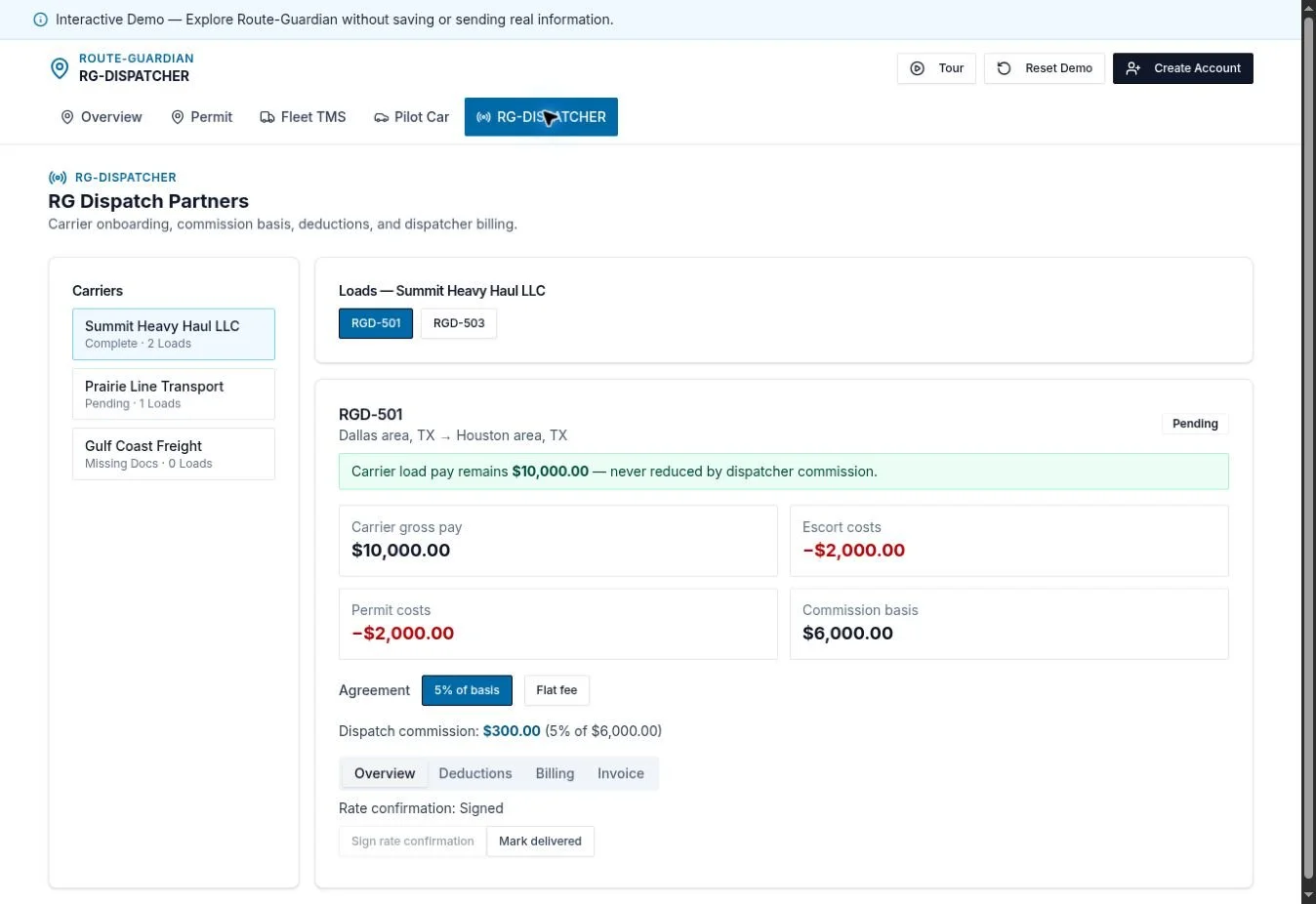
A record for each carrier
Organize carrier contacts, agreements, drivers, equipment, documents, rates, loads, invoices, and payment history. Keep the customer relationship connected to the jobs you dispatch.
Load entry & dispatch board
Build loads with pickup, delivery, commodity, equipment, and rate-confirmation information. Assign the correct carrier and driver, attach the paperwork, and follow the assignment status.
Permits with the load
Attach oversize and overweight permits to the job, review the route information, save the route package, and send the approved navigation information to the assigned driver.
BOL & POD management
Create bills of lading from saved load and carrier information. Keep pickup and delivery documentation attached to the load so the dispatch office can follow the paperwork.
Active-load tracking
View current position, driver status, route progress, and pickup or delivery arrivals. Provide customer tracking visibility when the relevant sharing controls are enabled.
Dispatch-service billing
Invoice the carrier receiving your dispatch services and synchronize with QuickBooks Online. Keep broker information as load reference while preserving the correct carrier billing relationship.
Onboard carrier → Build load → Assign driver → Share permits and documents → Monitor progress → Invoice the carrier for dispatch services.
$99.99/month for your first 12 months.
Then $149.99/month beginning with month 13.
Standalone dispatcher product. Standard access and first 5 active drivers included; additional active drivers are $9.99/month each.
Coordinate the escorts.
Stay ahead of the schedule.
Pilot car work has its own operating details: lead and chase assignments, height-pole capability, vehicle availability, meeting points, escorted miles, and deadhead. Pilot Car TMS gives escort businesses a workspace built around those jobs.

Escort loads & scheduling
Create or accept escort loads, assign the team, and follow work through completion. Check scheduling conflicts before assigning the same driver or vehicle to overlapping jobs.
Driver capabilities
Manage escort-driver information and lead, chase, height-pole, and route-survey capabilities so assignments match the type of support the move requires.
Vehicles & equipment
Keep pilot car units, height-pole equipment, and vehicle status organized. Connect available equipment with the driver and the escort assignment.
Accept or decline work
Drivers can respond to assignments from their own workspace. The office can see the response and continue coordinating the job with a clearer view of availability.
Route details & mileage
Share route information and keep job records together. Record escorted, deadhead, and reposition mileage against loads and drivers for a clearer operating record.
Customers, invoices & access
Organize customer records, supporting documents, invoices, payment information, and reports. Use owner, dispatcher, driver, and office roles to control team access.
Add escort drivers and vehicles → Schedule load → Check availability → Assign escort team → Record mileage and documents → Complete job and billing.
$99.99/month for your first 12 months.
Then $199.99/month beginning with month 13.
See the current Pilot Car TMS plan for included operating capacity and additional-driver terms.
Pilot Car TMS manages escort operations. The Pilot Car Load Board is a separate product for finding and posting opportunities.
Put Route-Guardian
to work on your next move.
Need permit route tools for yourself? Start Standard. Running your own carrier? Explore Fleet TMS. Dispatching for carrier customers? Choose Dispatcher TMS. Coordinating escorts? Explore Pilot Car TMS.
30-day trial followed by the subscription for your selected plan. Prices shown reflect published website offers; confirm current terms when signing up.
Price the move.
Run the business.
The four workspaces are the starting point. Route-Guardian brings quoting, paperwork, driver coordination, billing, and business visibility into the same operation. Explore the tools below and choose the workspace that fits your team.
Know your numbers before you quote.
Build a working rate around the actual load: equipment, axle count, dimensions, weight, loaded miles, deadhead, and the states on the trip. Bring operating expenses into the calculation so you can see the cost behind the move and compare a suggested rate with your equipment minimum.
- Load & equipment inputs: Start/end towns, loaded and deadhead mileage, axle configuration, dimensions, and gross weight.
- Permit planning: Review estimated permit costs by the selected states and planned mileage. Estimates support quoting; issued permit charges and agency requirements still control the move.
- Driver pay: Account for loaded-mile pay, flat load pay, or percentage-based pay using the method that fits the job.
- Operating expenses: Include fuel, permits, escorts, tolls, lodging, operating costs, and other load expenses.
- Rate comparison: Compare an equipment/axle minimum with the expense-based suggested linehaul and your chosen target.
- Quote visibility: Review the rate, expense breakdown, and estimated money remaining after driver pay and expenses before negotiating.
Load intake & dispatch board
Keep load numbers, broker/customer details, pickup, delivery, commodity, dimensions, weight, and rate together. Follow the load from booking and assignment through pickup, transit, delivery, and readiness for invoicing.
EXPLORE LOAD DISPATCH →Rate confirmations & load records
Upload rate confirmations, connect paperwork to the load, review extracted shipment details, and keep the booking information available to dispatch and the assigned driver.
EXPLORE DOCUMENT TOOLS →BOL, POD & billing packages
Create and manage bills of lading. Collect delivery paperwork and photos. Keep rate confirmations, BOLs, PODs, permits, and receipts with the job so the office can prepare a complete billing package.
EXPLORE BILLING →Receipt capture & expenses
Capture fuel, scale, toll, and lodging receipts from the road. Review vendor, date, and amount, and organize trip expenses with the load rather than chasing loose photos at billing time.
EXPLORE RECEIPT TOOLS →Live load tracking
See load-linked locations when drivers enable sharing and a current GPS or supported connected source is available. Tracking status and freshness help dispatch answer location questions with context.
EXPLORE TRACKING →Mileage & IFTA records
Keep trip mileage and state breakdowns available for office review, fleet reporting, and export workflows. Fleet tools connect mileage with drivers and loads to support operating records.
EXPLORE FLEET MILEAGE →QuickBooks Online
Connect supported QuickBooks Online invoice and payment-status workflows. Keep carrier invoices and dispatcher service invoices tied to their own customers, charges, and supporting load documents.
EXPLORE QUICKBOOKS WORKFLOWS →Profitability & operating costs
Review revenue, operating costs, receipts, and load economics alongside the freight record. Expense analytics give the office visibility without silently changing the agreed carrier rate or customer invoice.
EXPLORE FLEET ANALYTICS →Carrier onboarding & team access
Organize carrier relationships and onboarding documents. Invite drivers, dispatchers, and accountants with role-based permissions. Drivers work with their own assignments while authorized office staff manage the business.
EXPLORE CARRIER MANAGEMENT →Pilot car opportunities & reports
Explore pilot car load opportunities and coordinate escort work with trips, meeting points, mileage, receipts, inspections, and customer invoices in the Pilot Car workspace.
EXPLORE PILOT CAR TOOLS →Permit records & route sharing
Keep issued permit documents with the trip, review route rows and saved pins, and share approved route information for escort coordination. State permit-order links help you reach the appropriate permitting resources.
EXPLORE PERMIT TOOLS →Web, mobile & office workflow
Work from the office or the road with the account and permissions appropriate to your role. Keep assigned-load details, trip paperwork, and billing records connected across the team.
SEE THE REAL APP →Keep the freight moving.
Explore support for the business behind it.
Through our OTR Solutions partnership, carriers can explore freight factoring and fuel-card options alongside Heavy Haul Dispatch support. OTR also offers business banking designed for trucking businesses. Talk with us about the partner connection, then review the program and terms that fit your operation.
OTR services are provided by OTR Solutions and its program partners. Eligibility, approval, fees, availability, and program terms apply. QuickBooks is a separate supported software integration.
Bring the details.
We’ll help connect the dots.
Send your load.
Share origin, destination, travel dates, dimensions, weight, axle configuration, and equipment.
Coordinate the work.
We’ll discuss dispatch needs, permit requirements, route details, and escort coordination for your shipment.
Move with visibility.
Use Route-Guardian to keep your permits, job records, driver assignments, and paperwork accessible.
Ready for the next big move?
Real dispatch support. Specialized permit coordination. Software built around your operation.
heavyhauldispatchllc@gmail.com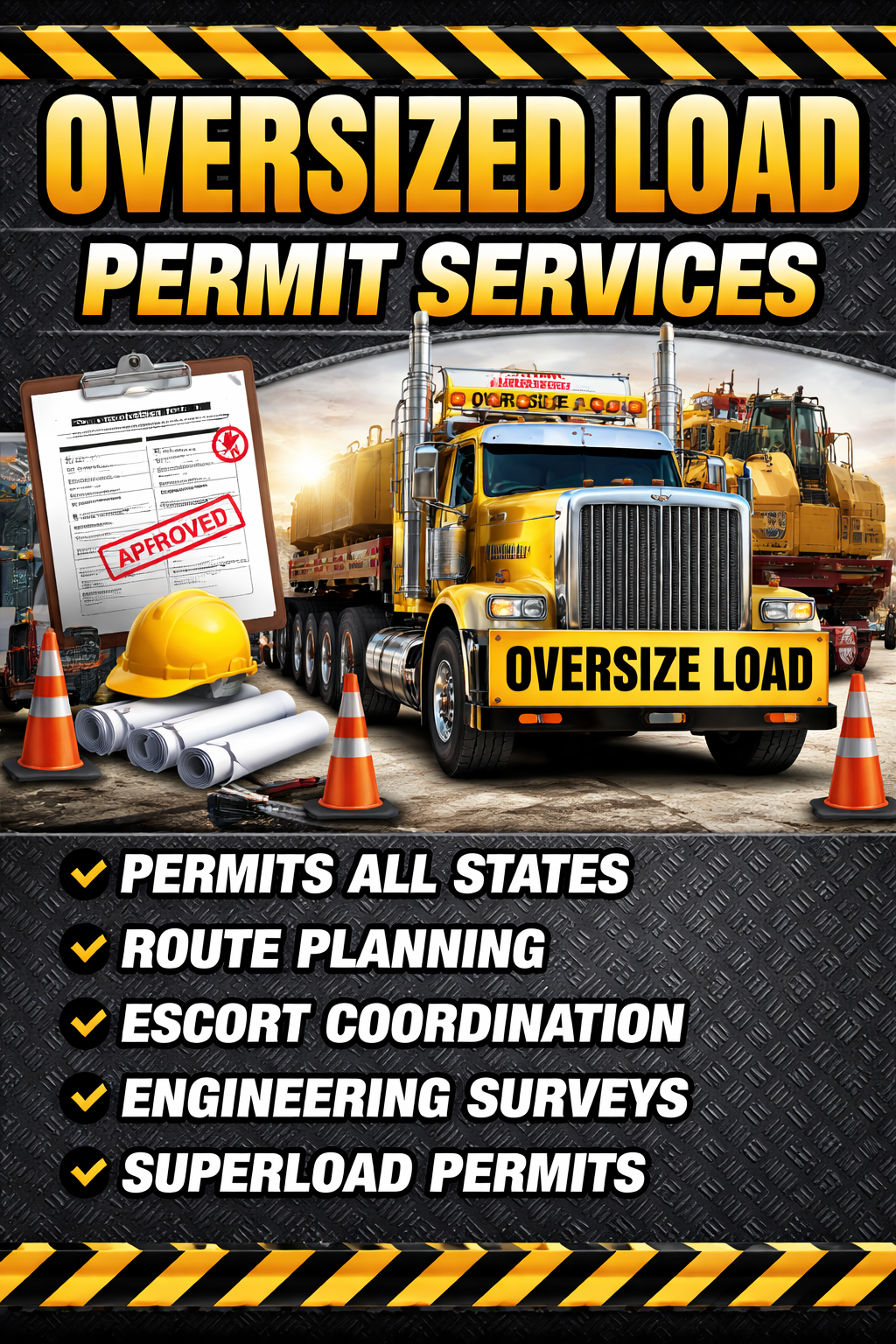
About
our company
With decades of experience in the logistics industry, we are dedicated to delivering reliable and efficient freight transport solutions. Our commitment to excellence ensures your cargo reaches its destination safely and on time, every time.

Follow us on social